canary.mask.apple-dns.net being flagged as “Likely-Explicit DNS Connection" on iOS 17

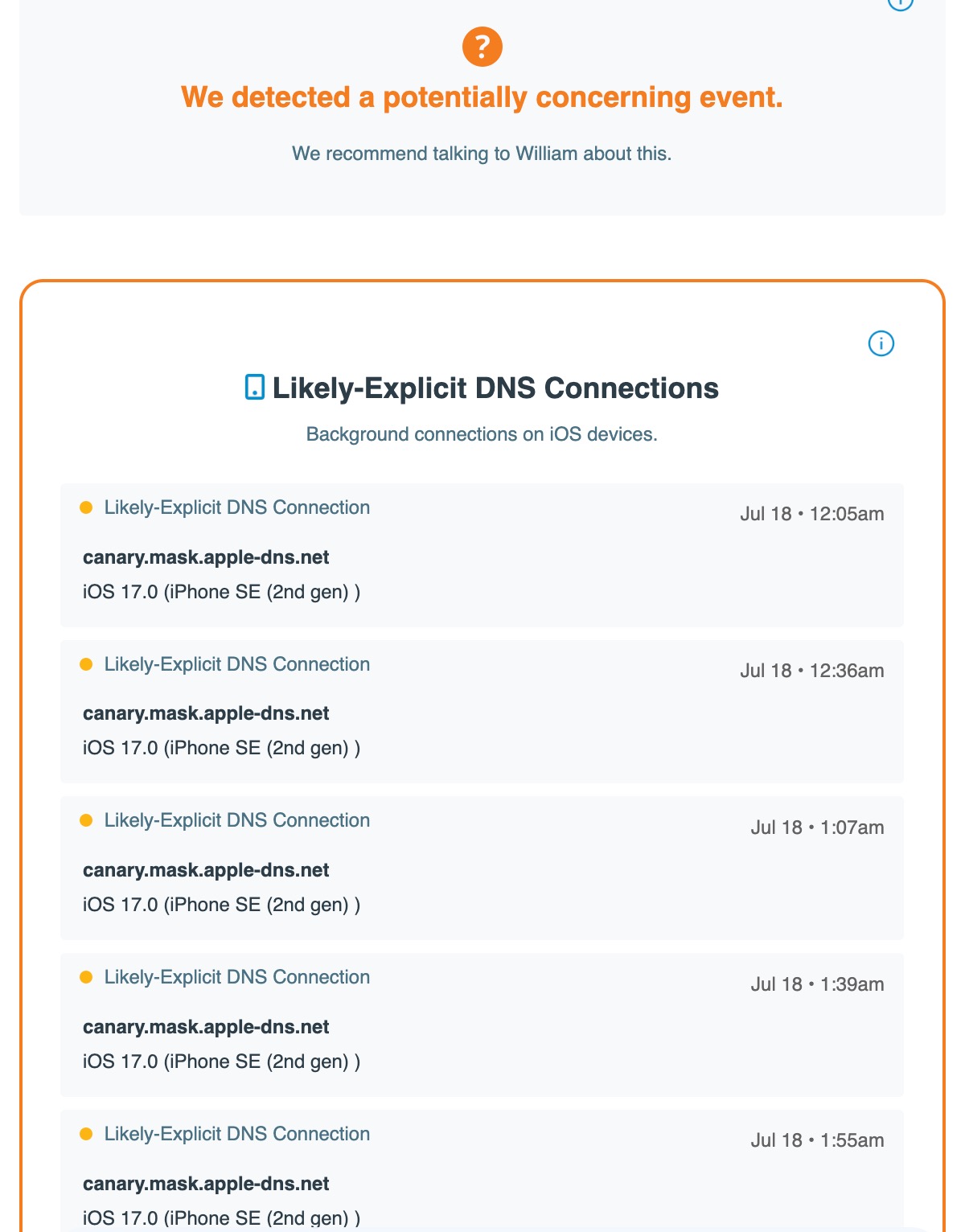
So I recently installed the iOS 17 beta 3 (The developer beta) and Covenant Eyes has been flagging canary.mask.apple-dns.net as a “Likely-Explicit DNS Connection". According to the report, every 1/2 hour or so the domain gets flagged. It's pretty inconvenient because in the report is just filled with it flagging that domain. Is there a way to white list this domain? Or is this a known issue that will be fixed in the future?
Comments
11 comments
Here is a screenshot for reference:
Hello William,
Thanks for your question. I'm sorry that you are experiencing this issue. It sounds and looks to be rather frustrating. After some investigation it appears to most likely be a result of either the Private Relay setting or the Limit IP Address Tracking setting.
Proxy and VPN services do not have adult content per se, but can be used to bypass parental control and internet filtering software. There are two settings that can potentially cause this website to show up on the report: Private Relay & Limit IP Address Tracking. Making sure these are off should limit the potential of this site showing up on the report but there is still a chance it could be on the report with these settings off.
To find Private Relay: access the Settings app, tap on the name at the top, then go to iCloud, then Private Relay. It should be off.
To find Limit IP Address Tracking: access the Settings app, go to Mobile Data, then Mobile Data Options, then Limit IP Address Tracking. It should be off.
With these two settings off there should be a much lower chance of these entries occurring and being flagged in the Victory app. Thanks again for your question and I hope that this has been helpful. Have a great rest of your day.
Hi Daniel! I’ve had the same issue and and those settings are off on my end. All my ally sees is that it’s flagging and causing concern. I don’t know what it actually is and I haven’t tried to privately search or block anything. Do you have an advice on how to explain this/fix this from happening?
It happened again for the first time in a while today when I had to reinstall the CE app due to it bugging my phone out, which also made me redownload safari and turn off screen time, could that do something with it? I’ve also had internet (xfinity) issues today and so I’ve been communicating via Safari with my Network Provider for a while, could this be a trigger as well?
Hello Timothy,
Thanks for your comment. It is very good that you've turned those aforementioned settings off. I'm sorry to hear that it is still flagging though. That site can still sometimes show up, though it should be much less frequent with those settings disabled. Apple may still connect to that particular domain at-will to see if you are on a network that has filtering enabled for their own testing purposes. If or when that happens we sadly cannot control.
That being said I will be submitting a formal feature request to my developers on your behalf to see about whitelisting this particular URL. It is appearing on too many reports for too many folks without their knowledge or control. If there is anything else we can do to assist you please let us know. Thank you and have a great rest of your day.
I am getting this also. It is tied to iOS 17 Beta and about every 30 minutes I get a "Likely-Explicit DNS Connection." Can't Covenant Eyes NOT flag that? All of those settings are noted are turned off. I have heard, regularly, that Covenant Eyes struggles with iOS and other competitors do a better job. If this is the case, I will need to switch.
I see the post, above, noted you were going to try to whitelist the URL but this has not happened since 18 days ago (when that response was logged).
Having issues as well. I’ve done the suggested steps above with no luck. Is there anyway to whitelist this DNS?
Getting this same message every day. My wife gets the email and now ignores anything (which they are all this one address). I read that three weeks ago this was going to be whitelisted. Does it really take more than a few days for an app?
Is there any update on this? I would really like to be able to use IpadOs 17 for the new features but those messages really bother my wife and they defeat the purpose of the ally emails if they cause them to become "wallpaper".
I agree with Gregg, this is getting ridiculous. I work for a software company and it doesn’t take us a month to whitelist a site.
I have been getting this ever since I installed the iOS 17 beta back in July
FWIWI... Not seeing this morning with the iOS 17 RC that came out yesterday from Apple (which is what will be released from Apple to everyone on the 18th)
Thanks everyone for chiming in. And a special thanks to those that followed Daniel's advice about Private Relay and some other items.
In hindsight, one thing that was overlooked was the fact that iOS 17 was a beta. When the topic first came up here, we should've pointed out that we, like most companies, make no promises about performance on a beta OS. My apologies for not mentioning that earlier.
It's not uncommon to wait until the "beta dust" settles before fully prepping for the next version of that OS. When a big tech company controls the beta, they can pivot at any moment. So getting ready for version 4 when it's entirely likely that they will end up with version 26, isn't a great use of time.
Now that iOS 17 beta seems to be in it's final form, our preparations are moving ahead. It was good to hear from Zachary Bentley that with Apple's latest version of iOS 17 beta, he's seeing an improvement to the canary issue in this thread.
Thx again everyone!
Please sign in to leave a comment.